Troubleshooting Dosewise
Check common causes before changing your medicine setup.
A reminder did not appear
- Check that reminders are enabled for that medicine.
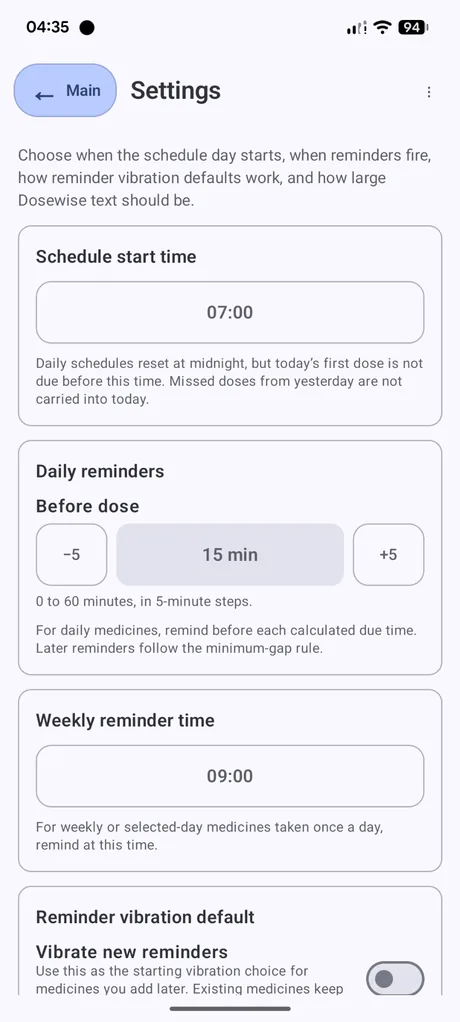
- Check the global daily or weekly reminder settings.
- Check Android notification permission for Dosewise.
- Check do-not-disturb, focus mode, battery optimisation, and app notification settings.
- Open Dosewise after changing settings so active reminders can refresh.
A medicine is not showing in Now
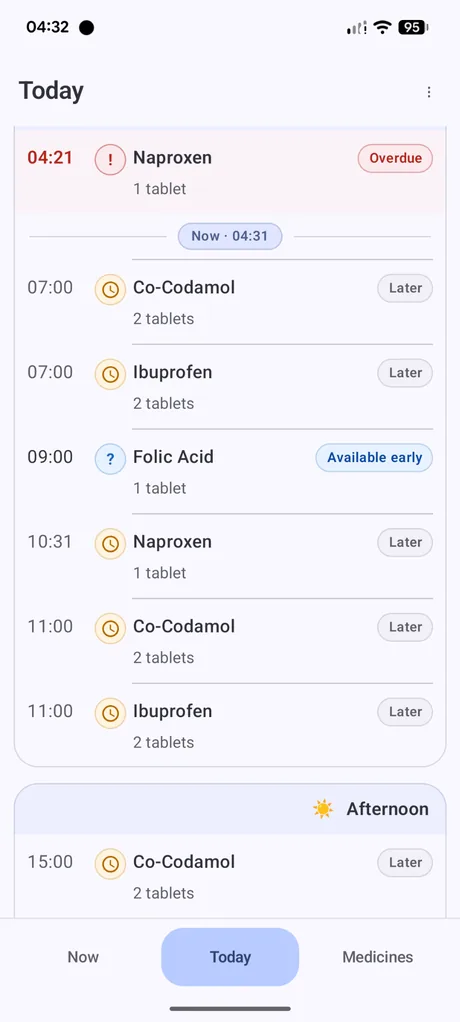
Now only shows medicines that need attention now or are optional and available now. A medicine may be absent if it is scheduled for later, already recorded, paused, deferred, snoozed, or outside the selected days for a weekly schedule.
A medicine appears overdue
A medicine can appear overdue when its due time has passed and Dosewise has no taken or skipped record resolving that due item. Check the Today screen, medicine details, and recent history.
The next allowed time is not what you expected
- Check the medicine schedule type.
- Check the schedule start time in Settings.
- Check the minimum spacing or daily/weekly limit entered for the medicine.
- Check whether the medicine was already recorded, skipped, snoozed, or deferred.
- For weekly medicines, check the selected usual days.
Weekly medicines and selected days
For weekly medicines, the selected days control when Dosewise expects the medicine. If the wrong day is selected, the medicine may appear on the wrong day or not appear when expected.
Importing a backup did not work
- Check that the file was created by Dosewise Export CSV.
- Check that the file has not been edited in a way that changes its columns or structure.
- Try exporting a current backup before attempting another import.
- Remember that importing replaces the current app data.
When to seek advice
If the issue affects whether you should take, skip, repeat, or delay a medicine, use your medicine instructions or ask a clinician or pharmacist. Dosewise can help keep records, but it cannot make clinical decisions.