Recording doses
Dosewise records what happened so the timing and history remain clear.
Dosewise records timing information. It does not decide whether a medicine should be taken, delayed, skipped, repeated, or changed. Follow your clinician, pharmacist, or medicine label.
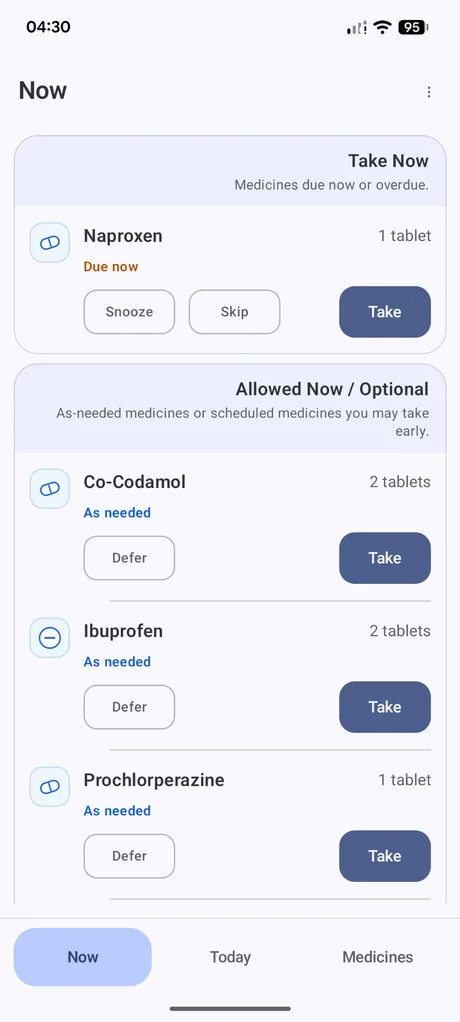
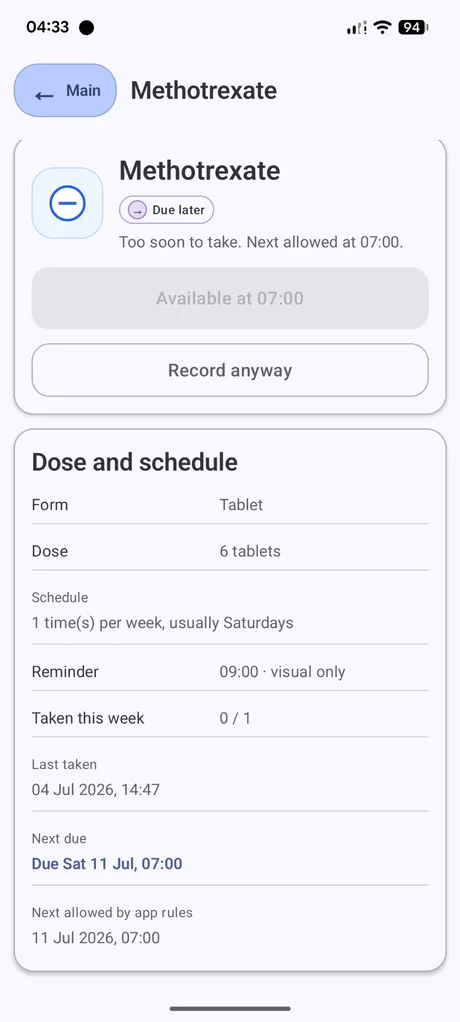
Main recording actions
Take
Records the medicine as taken at the current time. Dosewise updates the count, last taken time, next due time, and history.
Record anyway
Records a dose even when the app says it is too soon or not normally available. Use this only when the record matches what actually happened.
Snooze
Temporarily postpones a due medicine. The medicine can return when the snooze period ends.
Skip
Records that a scheduled dose was skipped. A skipped record can resolve the current reminder without counting as a taken dose.
Defer
Moves an optional or as-needed medicine out of the current Now view for the day.
Restore
If an optional medicine was deferred, restoring it makes it available in the optional list again.
Adding a missed dose
Where supported in the app, you can add a missed dose record for the time you actually took a medicine. This is useful when you took the medicine but forgot to record it at the time.
Use the actual date and time as closely as possible so the history remains useful.
Editing or deleting records
Dosewise includes tools for reviewing dose history and, where supported, changing recorded dose times. Use these tools to correct the record, not to change clinical instructions.
What counts as taken
Taken dose records count towards the current daily or weekly total. Skipped and snoozed records are recorded actions, but they do not count as taken doses.