Medicines and schedules
Use the Medicines screen to add, review, edit, pause, and organise your medicines.
The Medicines list
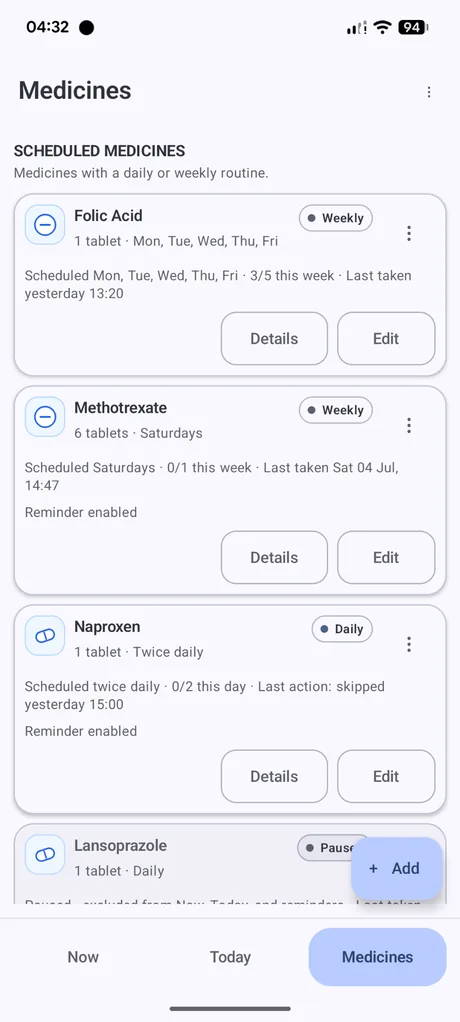
Each medicine card can show the medicine name, dose amount, schedule type, usual days, taken count, last recorded action, and reminder status.
Use Details to review timing and dose information. Use Edit to change the medicine setup.
Schedule types
Daily
For medicines taken one or more times each day. Dosewise uses the schedule start time and spacing rules to calculate when later doses become available.
Weekly
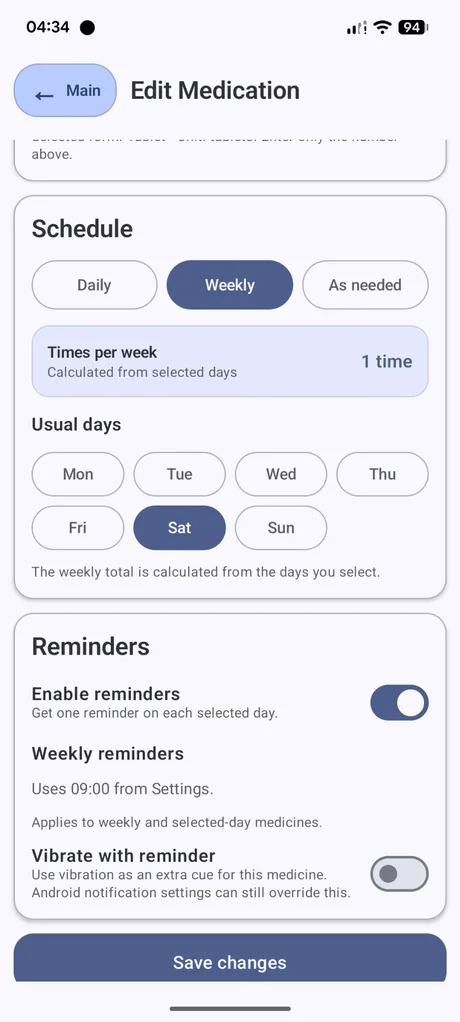
For medicines taken on selected days of the week. Choose the usual days so Dosewise can show the correct weekly routine.
As needed
For medicines that are not taken on a fixed routine. Dosewise can still record use and apply the rules you enter.
Weekly and selected-day medicines
For weekly medicines, choose the usual days. The weekly total is calculated from the selected days. Dosewise uses those days when deciding what to show on Now and Today.
If a weekly medicine is not showing when expected, check that the correct day is selected and that the medicine has not already been recorded for the current weekly period.
Medicine details
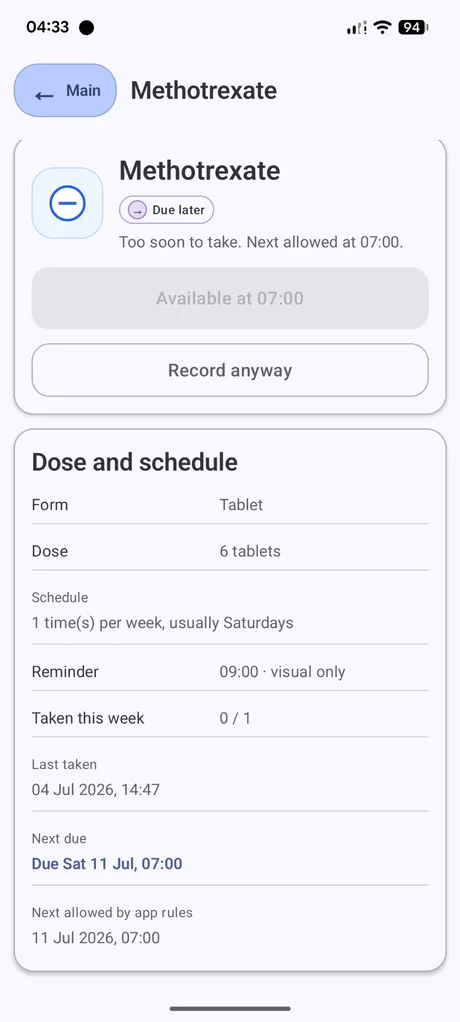
The details screen shows the current status of a medicine, the form, dose, schedule, reminder setting, taken count, last taken time, next due time, and next allowed time according to the rules currently set in the app.
If Dosewise says a medicine is too soon to take, the details screen can show when it becomes available under the app rules. This is a timing record only. Follow medical instructions when deciding what to do.
Forms and icons
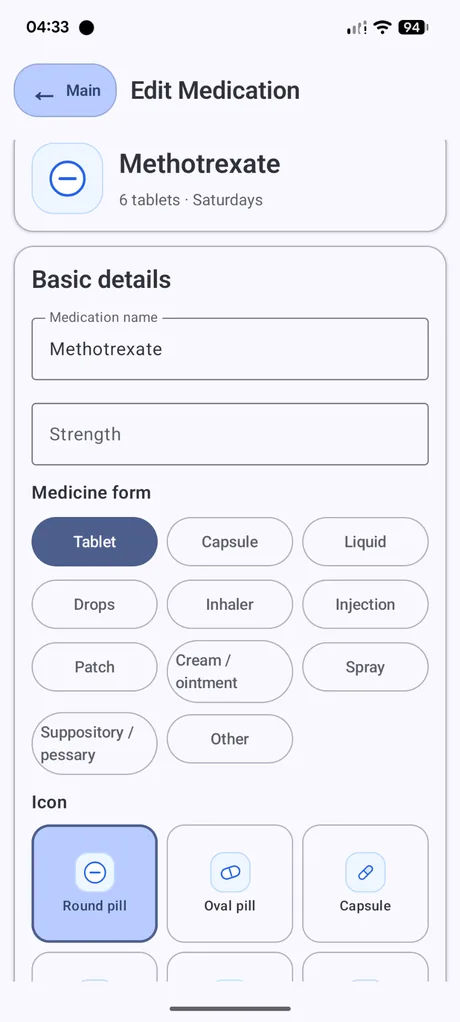
When adding or editing a medicine, you can choose a form such as tablet, capsule, liquid, drops, inhaler, injection, patch, cream or ointment, spray, suppository or pessary, or other.
You can also choose an icon. Icons are visual labels to help you recognise medicines more easily in the app.
Paused medicines
A paused medicine remains in your Medicines list but is not treated as active. Use this when you want to keep the medicine record but stop it appearing in the normal schedule.