Backup and restore
Use CSV backup files to protect or move Dosewise data.
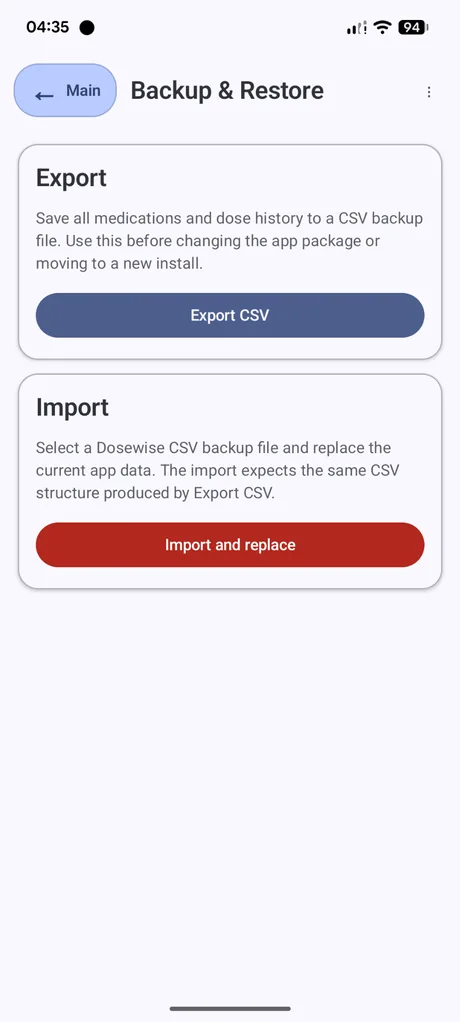
Export CSV
Export saves medicines and dose history to a Dosewise CSV backup file. Use this before moving to a new install, changing devices, or making a change where you want a copy of your current records.
- Open the three-dot menu.
- Select Backup & restore.
- Select Export CSV.
- Choose where to save the file.
Import and replace
Import reads a Dosewise CSV backup file and replaces the current app data with the contents of that file.
Important: importing replaces the medicines and dose history currently stored in Dosewise. Export a backup first if you need to keep the current data.
Keep backup files safe
A Dosewise backup file can contain medicine names, schedules, and dose history. Store it somewhere appropriate and avoid sharing it with people who should not see that information.
Use the matching file format
The import tool expects the same CSV structure produced by Dosewise Export CSV. Files edited outside Dosewise may fail to import if required columns or values are changed.